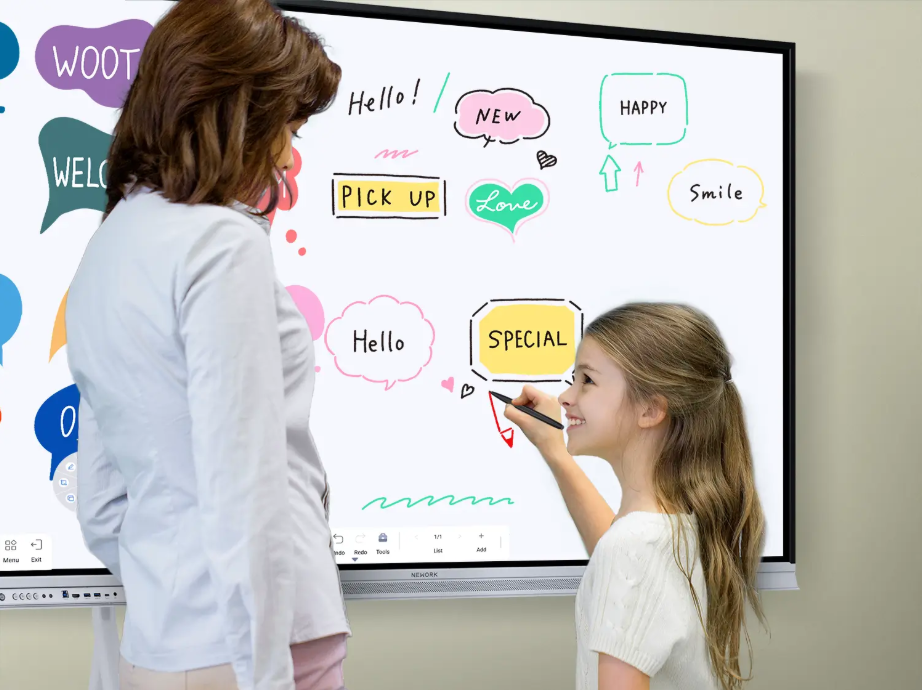
Interactive whiteboards have become part of classroom teaching, from daily lessons and group exercises to STEM activities. However, purchasing teams need to consider more than screen size, touch functions, and presentation tools. Warranty coverage, technical support, software compatibility, and long-term maintenance all affect the value of an installation. Schools must also consider how equipment will be used by different teachers and how support will be handled when problems occur.
For schools reviewing a Nework smart board, these questions provide a practical starting point for evaluating classroom technology. Nework offers an E-Series solution for K–12 education, with interactive teaching tools designed to support student participation and different subjects. Before making a purchasing decision, school administrators should understand the conditions that influence equipment reliability, service arrangements, and replacement planning.
What Should a Classroom Display Warranty Cover?
A warranty defines which product issues qualify for repair or replacement and which costs remain the buyer’s responsibility. For school procurement teams, the important details include the coverage period, eligible components, exclusions, and procedures for reporting faults. A written policy makes these responsibilities easier to compare across suppliers.
Display panels, touch systems, internal electronics, and external accessories may have different warranty conditions. Buyers should check whether the agreement covers the complete unit or lists separate terms for particular components. They should also clarify how accidental damage, improper installation, and unauthorized repairs are handled.
Warranty duration matters, but the service process deserves equal attention. Schools should ask whether defective equipment must be shipped elsewhere, whether on-site assistance is available, and who pays transportation costs. These details help administrators estimate the potential disruption to teaching when a display needs attention.
How Can Schools Evaluate Technical Support?
Classroom technology problems rarely occur at convenient times. A display may stop responding before a scheduled lesson, or a teacher may experience difficulties connecting a laptop. A useful support arrangement gives school staff a clear way to report issues and receive troubleshooting guidance.
Procurement teams should ask which communication channels are available, what information technicians require, and how support requests are prioritized. It is also worth checking whether assistance covers initial setup, user training, connectivity problems, and routine software questions. The precise scope should be confirmed in writing rather than assumed from a general service description.
Support documentation can reduce unnecessary service requests. Installation instructions, troubleshooting guides, and clear contact details help school IT staff resolve straightforward problems. For larger installations, administrators can also ask whether the supplier provides a designated contact for coordinating issues across multiple classrooms.
Which Lifecycle Costs Should Buyers Consider?
The initial purchase price represents only one part of the total cost of classroom technology. Schools may also need to budget for installation, staff training, replacement accessories, repairs outside the warranty period, and eventual equipment renewal. Comparing these expenses helps procurement teams assess costs over the planned service life.
Maintenance requirements should be reviewed before installation. Touch displays need suitable cleaning practices, secure mounting, and appropriate ventilation according to their installation instructions. Schools should identify who will perform routine checks and whether local IT staff have the resources to manage basic maintenance.
Compatibility also affects long-term value. Buyers should confirm that the display works with the school’s existing computers, classroom networks, presentation tools, and required teaching software. They can ask about supported operating systems, connection methods, and software update arrangements. These checks help identify potential integration costs before equipment is purchased.
A replacement plan is equally important. Schools can record installation dates, warranty expiry dates, asset locations, and service histories. This information helps administrators schedule maintenance and prepare budgets for future upgrades. It also supports more consistent purchasing decisions when several classrooms use similar equipment.
How Does Classroom Use Affect Equipment Planning?
Different teaching activities place different demands on interactive displays. A primary classroom may use touch-based exercises and visual explanations, while a secondary classroom may require detailed diagrams, digital annotation, and collaborative problem-solving. Schools should map these teaching needs before comparing product specifications.
Teacher adoption is another practical consideration. Even a capable display may be underused if staff members lack time to learn its functions. Buyers should consider how training will be delivered, whether teachers can access reference materials, and how new employees will learn the system. A planned introduction can help schools make fuller use of their investment.
For schools considering Nework interactive whiteboards for classrooms, the K–12 E-Series solution is designed to support student-centered lessons through flexible teaching tools. Its stated focus includes encouraging participation and supporting STEM and technology programs. Purchasing teams should assess these intended uses against curriculum requirements, classroom activities, and the training available to teachers.
Planning for Reliable Classroom Use Over Time
A classroom display should be evaluated as a long-term teaching resource, not simply as a device delivered on installation day. Warranty conditions, technical assistance, compatibility, maintenance responsibilities, and replacement planning all influence its practical value. Schools that review these factors early can budget more accurately and prepare staff for routine operation.
When assessing a Nework smart board, procurement teams should confirm the applicable warranty and support terms directly with the supplier. They can also evaluate whether Nework interactive whiteboards for classrooms fit their curriculum, IT environment, and staff training plans. A documented review of these requirements gives schools a clearer basis for purchasing decisions and future technology planning.
