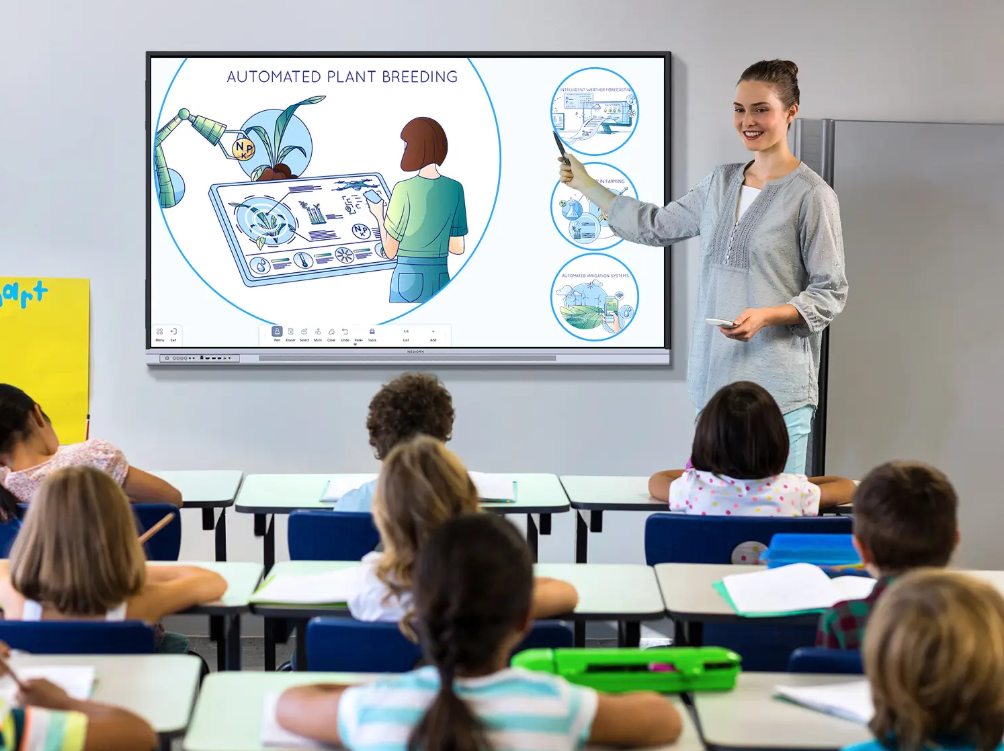
Interactive whiteboards are now used for more than displaying slides or replacing a projector. In K-12 classrooms, they can become part of daily teaching, discussion, practice, and group work. Their value depends on how teachers use them during real lessons. Schools therefore need to look at practical classroom use cases, not only screen specifications, when deciding whether an interactive board fits their teaching model.
For schools exploring digital classroom tools, Nework smart board solutions are designed around interactive teaching and classroom participation. They focus on helping teachers present lessons, involve students, and connect different devices during class. Buyers comparing Nework interactive whiteboards for classrooms can contact them to discuss classroom needs, teaching scenarios, deployment, maintenance, and suitable configurations before making a purchase.
Teacher-Led Lessons Can Become More Active
Traditional teacher-led instruction often relies on explanation followed by student note-taking. An interactive whiteboard can add visible participation without changing the lesson completely. Teachers can display diagrams, highlight key points, move objects, annotate examples, and ask students to complete short tasks directly on the board.
This works well in subjects that require step-by-step explanation. In mathematics, a teacher can solve a problem and then invite students to complete the next stage. In language classes, students can match words, correct sentences, or organize ideas. In science, labels can be added to diagrams during discussion.
The aim is not to make every lesson highly interactive. Teachers can choose moments where touch, annotation, or shared responses add value. This keeps the board connected to the learning objective instead of turning interaction into a separate activity.
Whole-Class Participation Becomes Easier to Organize
Interactive boards are useful when teachers want more students involved in the same activity. Instead of asking one student to answer while the rest watch, teachers can organize short group tasks, class polls, matching exercises, or shared problem-solving activities.
The K-12 solution is built around this type of participation. Their E-Series is presented for student-centered teaching, with support for hands-on activities, collaborative work, and classroom interaction. The aim is to help students build understanding through active tasks rather than relying only on passive memorization.
Participation can also extend beyond the board. Students may join activities from laptops, tablets, or phones when the lesson design allows it. This gives teachers more ways to collect responses and can also support students who participate remotely.
Group Work Gets a Shared Visual Space
Group work often creates practical challenges. Students may discuss ideas at their desks, but sharing results with the whole class can take time. An interactive whiteboard gives groups a shared visual space where they can present answers, compare approaches, or build on another group’s work.
For example, several groups can solve the same problem in different ways and then discuss the results together. In social studies, students can organize events on a timeline. In science, they can classify materials, label processes, or compare observations.
This use case is helpful when teachers want collaboration to remain structured. The teacher can keep the activity visible, guide discussion, and return to earlier points without switching between paper notes and several separate devices.
Classroom and Remote Learning Can Work Together
K-12 teaching is not always limited to students sitting in the same room. Homework review, remote attendance, hybrid activities, and device-based tasks may all become part of the same lesson. Interactive whiteboards can help teachers bring these forms of participation together.
Schools should review how easily students can join from common classroom devices. Connection steps need to be simple enough for daily teaching. Teachers should also understand how responses, shared content, and remote participation are managed before the system is widely deployed.
When evaluating a Nework smart board, schools can look beyond front-of-class presentation. They can consider how interaction from laptops, tablets, and phones fits existing routines. This helps procurement teams judge whether the setup can support classroom participation without adding unnecessary complexity for teachers or IT staff.
Different Subjects Need Different Teaching Uses
Interactive whiteboards are not only useful for one subject. Their role changes according to the lesson. Mathematics may use visual problem solving. Language classes may focus on text editing and vocabulary. Science may use diagrams and process explanations. Geography may use maps, while art and design lessons may use visual comparison.
They can also support STEM and technology programs where students need to discuss, test, and explain ideas. The board can act as a shared workspace while the teacher guides the class through a problem, experiment, or project.
Schools should still avoid treating the board as the lesson itself. Teaching methods, activity design, and student tasks remain more important. The board adds value when it makes explanation, participation, or collaboration easier to organize.
Practical Use Cases Should Guide the Purchase
Interactive whiteboards can support K-12 teaching in several practical ways. They can make explanations more visual, increase participation, structure group work, connect remote students, and support different subjects. Their value depends on how closely these uses match a school’s teaching routines and available technology.
For schools researching Nework interactive whiteboards for classrooms, a useful next step is to list the lesson types teachers already use and identify where interaction could improve them. Procurement teams can then compare teaching functions, device access, deployment, maintenance, and service around those real needs instead of choosing a board only by its feature list.
